A Deep Dive into 59th Minute Sniping Feature
Introduction
In the fast-paced world of the FC Ultimate Team market, speed is everything. The best deals don't last long, and dedicated traders know that the most valuable opportunities often appear and disappear in a matter of seconds. These deals are typically found at the 59th minute, the point where newly listed items first appear.
With the release of version v6.5.0, we are thrilled to introduce a powerful new tool designed to give you a competitive edge: 59th Minute Sniping.
This blog post will walk you through what this feature is, how it works, and the single most important setting you need to use it safely and effectively.
What is 59th Minute Sniping?
When a user lists an item for a one-hour auction, it doesn’t immediately appear on the first page of the search results. Instead, it’s placed at the very end of all other one-hour listings, typically around the 59-minute mark.
Players who list items for a quick sale often price them well below their market value. 59th-minute sniping is the art of navigating to this final page of listings to catch these bargains the moment they go live, before the rest of the market has a chance to see them.
It’s a high-risk, high-reward strategy that requires precise timing and our new feature is designed to handle that timing for you.
The Golden Rule: Understanding the 20-Second Minimum Search Interval
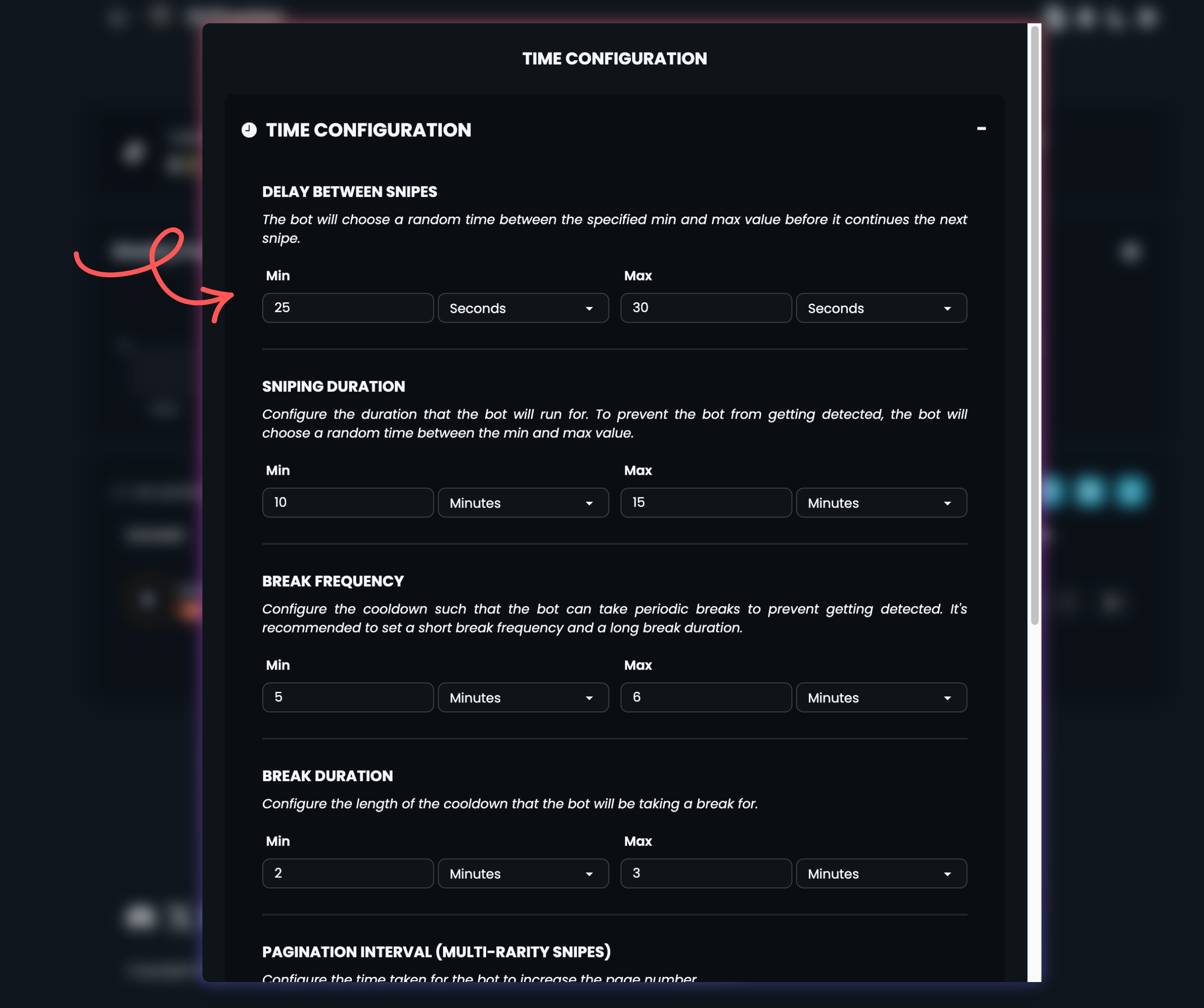
Account safety is our absolute top priority. To ensure the 59th-minute sniping feature is both powerful and secure, it has been engineered to operate in a way that mimics natural, human-like search patterns. This is why a minimum search interval duration of 20 seconds is mandatory.
Here's a transparent breakdown of why this setting is so crucial:- Page Navigation Time (≈10 seconds): Reaching the 59th-minute mark isn't instant. The system must navigate through multiple pages of search results. We estimate this process takes an average of 1-2 seconds to load each page. Assuming there are about 5 pages to traverse, this adds up to approximately 10 seconds.
- Crucial Safety Buffer (≈10 seconds): After reaching the target and completing a search, an immediate re-scan would be unnatural. This is where a mandatory break is required to create a realistic pause between sniping cycles. This buffer accounts for server response variations and is essential for protecting your account activity.
Setting your minimum search internval to at least 20 seconds is not just a recommendation, it is a requirement for the safe and intended operation of this feature.
How to Get Started?
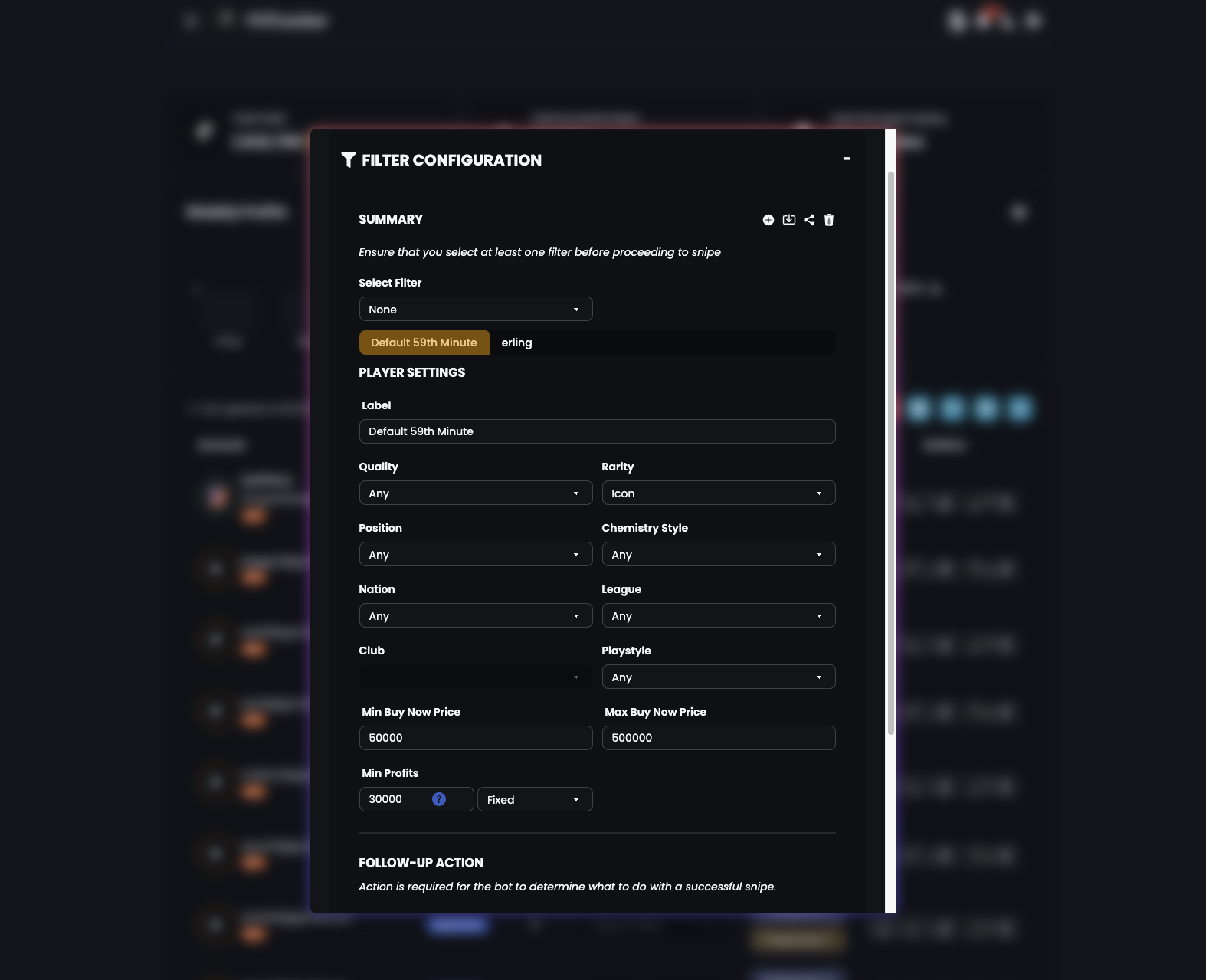 Ready to master the market? Here’s how to activate the new feature:
- Update to the Latest Version: Ensure you have version v6.5.0 or newer installed.
- Access the Snipe Feature: Navigate to the Snipe page on the website.
- Set Up Your Search: Use a rarity filter to focus your sniping efforts.
- Configure the Break Duration: In the time settings, locate the break duration option and set it to a minimum of 20 seconds and a max of 30 seconds or higher.
- Activate the Feature: Start the sniping process and let it work its magic.
We are incredibly excited to bring this advanced capability to our users. Used correctly, 59th-minute sniping can be a game-changer for building your squad.